The Ultimate
Streaming Experience
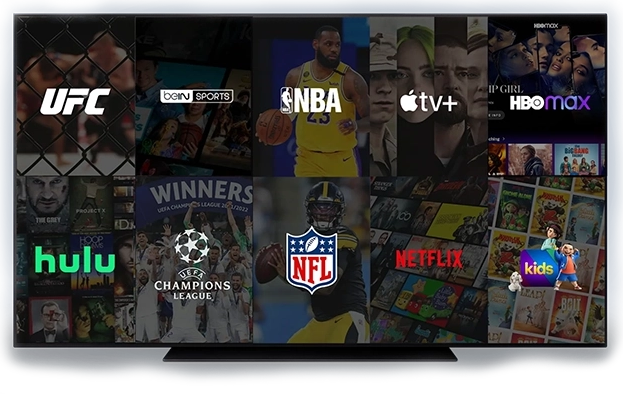
Ditch the cable box. Get instant access to 50,000+ live channels, on-demand movies, and major sports events in flawless 4K UHD.
Compatible with all your devices:


3 Steps to Start Watching
Get set up on your TV, Computer, or Smartphone in less than 5 minutes.
Unlimited Movies & Series
Stream the latest blockbusters in 4K UHD.


Experience the Thrill of
Premium Entertainment
Watch sports, movies, and series endlessly. No limits, no contracts.
Choose Your Plan
All plans include full access. No hidden fees.
- Netflix, HBO, and More
- HD / FHD / 4K / 8K Quality
- 50,000+ Live & Sports Channels
- 100,000+ Movies & Series
- PPV Events (UFC, NBA, NFL)
- Works on All Devices
- Antifreeze 10.0 — No Buffering
- EPG TV Guide & Updates
- Fast Activation & Delivery
- 30‑Day Money‑Back Guarantee
- Netflix, HBO, and More
- HD / FHD / 4K / 8K Quality
- 50,000+ Live & Sports Channels
- 100,000+ Movies & Series
- PPV Events (UFC, NBA, NFL)
- Works on All Devices
- Antifreeze 10.0 — No Buffering
- EPG TV Guide & Updates
- Fast Activation & Delivery
- 30‑Day Money‑Back Guarantee
- Netflix, HBO, and More
- HD / FHD / 4K / 8K Quality
- 50,000+ Live & Sports Channels
- 100,000+ Movies & Series
- PPV Events (UFC, NBA, NFL)
- Works on All Devices
- Antifreeze 10.0 — No Buffering
- EPG TV Guide & Updates
- Fast Activation & Delivery
- 30‑Day Money‑Back Guarantee
- Netflix, HBO, and More
- HD / FHD / 4K / 8K Quality
- 50,000+ Live & Sports Channels
- 100,000+ Movies & Series
- PPV Events (UFC, NBA, NFL)
- Works on All Devices
- Antifreeze 10.0 — No Buffering
- EPG TV Guide & Updates
- Fast Activation & Delivery
- 30‑Day Money‑Back Guarantee
Money-Back Guarantee
Try it risk-free for 30 days
Compatible With All Devices
Watch live TV, series, and movies at home or on-the-go. Zero freeze, real-time streaming, and no delays.
Stop Overpaying for Streaming
Why pay for separate subscriptions when you can have it all in one place?
Get everything in the list on the left, plus 50,000+ Live Channels and PPV Events.
Why Thousands Trust Us
Millions of entertainment hours, hundreds of channels — one subscription for everything.
Customer Stories
“Excellent service. Even when traveling, I had no issues watching my IPTV. Fast help every time I needed it.”
“Super smooth streaming. No buffering, amazing support. Honestly a 10/10 experience!”
“Up and running in under 30 minutes. Incredible value compared to my old cable bill.”
“I’ve canceled all my streaming services. IPTV Thrill covers everything and more. The 4K movies are stunning.”
“Great for sports. I watched every Premier League game live with zero lag. Highly recommended.”
“It’s like having Netflix, HBO, and every sports channel combined. The EPG works perfectly.”
“My kids love the Disney channel selection. Setup was super easy on my Firestick.”
“Finally found a provider that doesn't freeze during UFC fights. Picture quality is crisp.”
“Amazing support team. They helped me set it up on my Smart TV in minutes. Gracias!”
“Saved me over $100 a month on cable bills. The movie library is updated daily.”
Why Choose iTHRILL.US?
We prioritize speed, quality, and your satisfaction above all else.
Help Center & Setup Guide
Everything you need to know about iThrill subscriptions and installation.
General & Billing Questions
- First Email: Sent instantly with your invoice (and login details for trial orders).
- Second Email: Sent shortly after with full login details and setup instructions.
- Email: contact@ithrill.net
- Phone (SMS): (585) 812-1021
- Live Chat: WhatsApp button in the lower right corner.
- Double-checking card number, expiry, and CVV.
- Trying a different card.
- Using PayPal: This has the highest success rate. You can check out as a guest on PayPal using your debit/credit card even if you don't have an account.
Technical Support
- HD Streaming: Minimum 16 Mbps.
- 4K Streaming: Minimum 25 Mbps recommended.
- Restart your internet router and your streaming device.
- Check your internet speed.
- If using Wi-Fi, try moving closer to the router or using an Ethernet cable.
- Clear the cache in your IPTV app settings.
Installation Guides
- Go to Settings > My Fire TV > Developer Options.
- Turn ON Apps from Unknown Sources.
- Go to Home, Search for "Downloader", and install it.
- Open Downloader.
- In the URL box, type: https://www.iptvsmarters.com/smarters.apk OR use code: 59481
- Click Go, wait for download, then click Install.
- Open the app.
- Select Login with Xtream Codes API.
- Enter the login details sent to your email.
- Open Downloader on your Firestick.
- Enter this URL: https://bit.ly/3XNaNze and click Go.
- Install and Open TiviMate.
- Select Add Playlist > Xtream Codes.
- Enter the Server URL, Username, and Password from your email.
- Firestick: Use Downloader to install https://ibodesk.com/media.apk
- Smart TV: Search "IBO Player" in your TV's app store.
- Open the app. You will see a Device ID and Device Key.
- Go to the IBO Player Activation Website on your phone/PC.
- Enter your Device ID/Key and click Activate.
- Go to "Manage Playlists", enter your ID/Key again.
- Select Add XC Playlist and enter your subscription details.
- Restart the app on your TV.
- Go to Roku Channel Store and install IBO Player Pro.
- Open app, note the Device ID and Key.
- Go to iboproapp.com > Manage Playlists.
- Login and select Add XC Playlist.
- Enter your iThrill credentials. Restart the Roku app.
- Install Web Video Cast on your phone.
- In the app browser, select IPTV > Add M3U URL (from your email).
- Connect to your Roku via the cast icon at the top.
- Play the channel on your phone; it will appear on your Roku.
- Go to your TV's App Store.
- Search for "IPTV Smarters Pro" or "IBO Player".
- Install and Open.
- Login using Xtream Codes API with the details from your email.
- Go to the App Store.
- Download IPTV Smarters Pro or GSE Smart IPTV.
- Open app > Select Login with Xtream Codes.
- Enter your credentials.
- Go to Google Play Store.
- Download IPTV Smarters Pro or TiviMate Companion.
- Login using Xtream Codes API.
- Go to Settings > System Settings > Servers > Portals.
- Set Portal 1 Name:
iThrill - Set Portal 1 URL:
(URL provided in email) - Send us your MAC Address (found on the sticker) so we can activate it.
- Open MyTVOnline 2/3 (Formuler) or Live TV (BuzzTV).
- Go to Connections/Server Settings > Add Portal.
- Enter the Portal URL provided in your email.
- Ensure "Login Required" is UNCHECKED (we use MAC activation).
- Connect.
Still need help?
Our support team is available to assist you with setup.
in the bottom right.